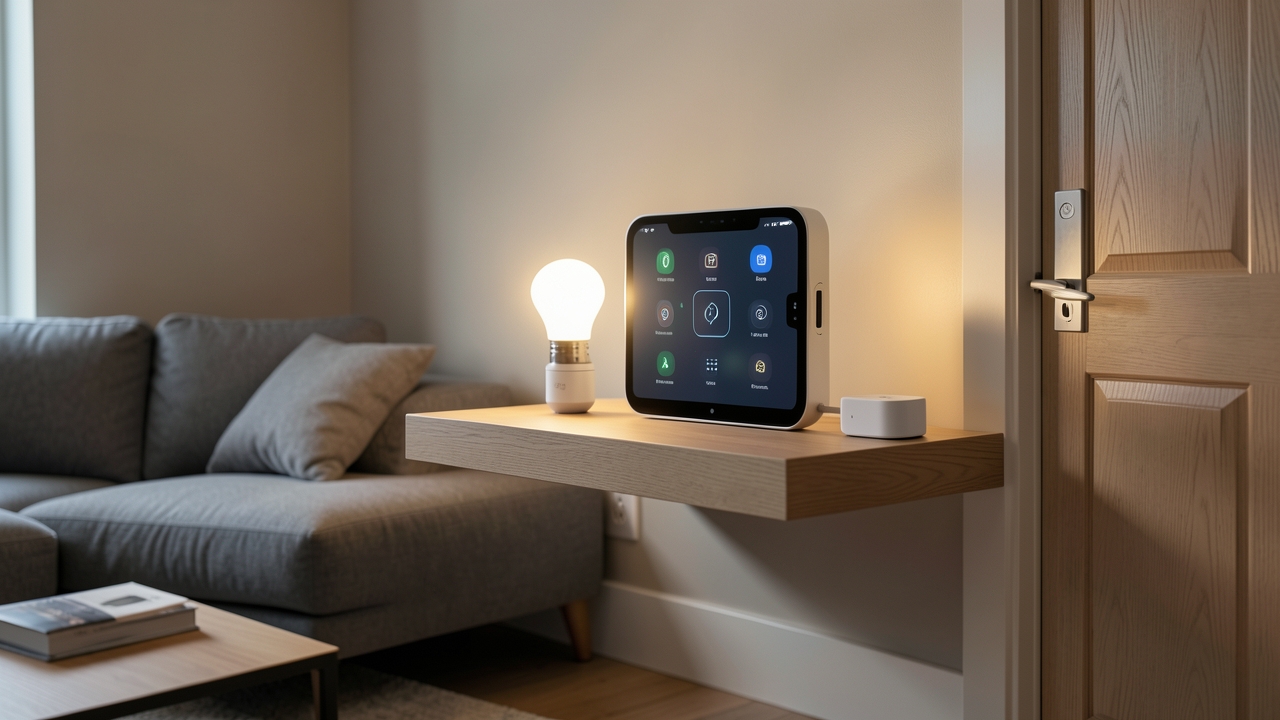
The world of smart home technology is shifting dramatically in 2026, and at the heart of this transformation sits the Matter protocol. If you’ve invested in a smart home hub in the UK, you might be wondering how to bring Matter-enabled devices into your existing setup without ripping everything out and starting from scratch. Fortunately, Matter protocol UK integration is more straightforward than many people assume, especially with hubs like SmartThings and Home Assistant leading the charge. In this comprehensive guide, we’ll walk you through every step, from understanding what Matter actually does to configuring your network for seamless performance.
Whether you’re a seasoned smart home enthusiast or someone just beginning to explore home automation, this guide covers the practical steps you need. We’ll address UK-specific network considerations, compatibility challenges with popular hubs, and the real costs involved in making the switch. By the end, you’ll have everything you need to future-proof your smart home.
What Is the Matter Protocol and Why Does It Matter in the UK?
Matter is an open-source, royalty-free smart home standard developed by the Connectivity Standards Alliance (CSA). It was designed to solve one of the biggest frustrations in smart home technology: devices from different manufacturers simply refusing to talk to each other. Think of Matter as a universal translator for your smart devices.
In the UK, the relevance of Matter has grown significantly since its initial launch. By 2026, major retailers like Currys, John Lewis, and Argos stock a wide range of Matter-certified products. Furthermore, UK energy suppliers have begun supporting Matter-enabled devices within their smart tariff ecosystems. The UK Government’s net-zero commitments have also accelerated adoption, as Matter-compatible smart thermostats and energy monitors help households reduce consumption.
For UK homeowners specifically, Matter protocol UK integration means you can mix and match devices from brands like IKEA, Philips Hue, Eve, and Aqara — all through a single hub. This eliminates vendor lock-in and reduces long-term costs significantly.
Key Benefits of Matter for UK Homes
- Interoperability: Devices from different brands work together seamlessly
- Local control: Commands stay within your home network, improving speed and privacy
- Future-proofing: Matter-certified devices will receive long-term software support
- Energy efficiency: Better integration with UK smart meters and energy monitoring systems
- Security: Built-in encryption and authentication standards across all devices
UK Smart Home Hubs That Support Matter in 2026
Before diving into the step-by-step integration process, you need to know which UK smart home hubs support Matter natively. Fortunately, the landscape has matured considerably.
Samsung SmartThings
Samsung’s SmartThings hub has supported Matter since late 2022, and the 2026 iteration offers robust Matter protocol UK integration. The SmartThings Station (typically priced around £129.99) and the Aeotec Smart Home Hub (approximately £109.99) both function as Matter controllers. In addition, the SmartThings app now provides a dedicated Matter device discovery section, making onboarding significantly smoother.
Home Assistant
Home Assistant remains the power user’s choice. The Home Assistant Green (around £84.99) and Home Assistant Yellow (approximately £149.99) both support Matter natively through the Home Assistant Matter Server add-on. For those running Home Assistant on a Raspberry Pi 4 or 5, Matter support is available via the companion software. Home Assistant’s open-source nature makes it exceptionally flexible for UK-specific configurations.
Apple HomeKit / HomePod
Apple users benefit from Matter support via HomePod Mini (£99) and Apple TV 4K (£169). Apple’s implementation is tightly integrated with the Home app, though customisation options are more limited compared to Home Assistant.
Amazon Alexa and Google Home
Both Echo (4th Gen) and Google Nest Hub (2nd Gen) support Matter. However, their Matter implementations remain somewhat basic compared to dedicated hubs. If you’re serious about full home automation, pairing these with a dedicated Matter controller is advisable.
Step-by-Step: Matter Protocol UK Integration with SmartThings
Now let’s get practical. Here’s exactly how to integrate Matter devices into your SmartThings setup.
Step 1: Update Your SmartThings Hub Firmware
Before adding any Matter device, ensure your hub runs the latest firmware. Open the SmartThings app, navigate to your hub, and check for updates. This step is critical — outdated firmware is the number one cause of Matter pairing failures in UK households.
Step 2: Ensure Thread Border Router Capability
Many Matter devices use Thread, a low-power mesh networking protocol, rather than Wi-Fi. Your SmartThings hub or a paired device must act as a Thread border router. The SmartThings Station includes this capability built-in. If you’re using the Aeotec hub, you may need a separate Thread border router like the HomePod Mini or a Nanoleaf border router (approximately £49.99).
Step 3: Prepare Your Matter Device
Unbox your Matter-certified device and put it into pairing mode. This typically involves holding a button on the device for 5–10 seconds until an LED flashes. Most UK-market Matter devices come with a QR code or an 11-digit setup code printed on the device or in its manual.
Step 4: Add the Matter Device in SmartThings
Open the SmartThings app and tap the ‘+’ icon. Select ‘Device’ and then choose ‘Matter’ as the connection type. The app will prompt you to scan the QR code or enter the setup code manually. Furthermore, ensure your phone’s Bluetooth is enabled, as initial pairing requires a Bluetooth handshake.
Step 5: Configure Device Settings
Once paired, assign your device to a room and customise its settings. Matter devices appear alongside your existing Zigbee and Z-Wave devices in the SmartThings app. You can create routines, automations, and scenes that combine Matter and non-Matter devices without any issues.
Step 6: Test and Troubleshoot
Test the device thoroughly. Check response times, verify it responds to voice commands if applicable, and confirm it works within your automations. If something doesn’t work, the most common fix involves resetting the device and re-pairing it — a process that takes under five minutes.
Step-by-Step: Matter Protocol UK Integration with Home Assistant
Home Assistant offers deeper customisation but requires a few more steps. Here’s the complete process.
Step 1: Install the Matter Server Add-On
Navigate to Settings, then Add-Ons, and search for ‘Matter Server’ in the Home Assistant Add-On Store. Install it and enable the ‘Start on Boot’ option. This add-on handles all Matter communication on your behalf. Restart Home Assistant after installation.
Step 2: Configure the Matter Integration
Go to Settings, then Devices and Services. Click ‘Add Integration’ and search for ‘Matter (BETA)’ — despite the label, this integration is stable in 2026. Enter your Home Assistant’s IP address and the default port (5580). For most UK home networks, this configuration works without modification.
Step 3: Pair Your Matter Device
Click ‘Add Device’ within the Matter integration panel. You’ll need to enter the 11-digit setup code found on your Matter device. Home Assistant will commission the device onto your Matter network. This process typically takes 30–60 seconds.
Step 4: Create Automations
This is where Home Assistant truly shines. You can create complex automations that trigger Matter devices based on weather data from the Met Office, energy pricing from your Octopus Energy tariff, or occupancy sensors. For example, you could set your Matter-enabled smart radiator valves to lower the temperature when your solar panels aren’t generating enough power — a genuinely useful feature for UK homes with balcony solar panels.
Step 5: Monitor Device Health
Home Assistant’s integration dashboard shows real-time device status, signal strength, and connection type. Thread-based Matter devices will display mesh network topology, helping you identify weak spots in your home’s coverage.
UK-Specific Network Configuration Considerations
Matter protocol UK integration involves some network considerations that differ from other countries. Here’s what you need to know.
Dual-Band Router Configuration
Most UK broadband routers from BT, Sky, Virgin Media, and TalkTalk broadcast both 2.4GHz and 5GHz Wi-Fi. Matter devices typically require the 2.4GHz band for initial setup. However, many modern routers combine both bands under a single SSID, which can confuse Matter devices during pairing.
Therefore, we recommend temporarily separating your 2.4GHz and 5GHz bands during the pairing process. You can recombine them afterwards. On BT Smart Hub 3 routers, this is done through the admin panel at 192.168.1.254. For Sky routers, access the settings via the Sky app.
IPv6 Support
Matter relies on IPv6 for device communication. Most UK ISPs now support IPv6, but it’s worth verifying. Check your router’s IPv6 settings and ensure it’s enabled. BT, Sky, and Virgin Media all support IPv6 by default on their current hardware. However, some older routers may need firmware updates to provide full IPv6 support.
Hub Placement and Signal Strength
UK homes — particularly older Victorian and Edwardian terraced houses — often have thick internal walls that block wireless signals. Place your Matter controller centrally, ideally in an open area rather than inside a cabinet. For Thread devices, each mains-powered device acts as a signal repeater, so strategically placing smart plugs can extend coverage throughout your home.
Wi-Fi Channel Congestion
In densely populated UK areas, Wi-Fi channel congestion can impact Matter device performance. Use a Wi-Fi analyser app to identify less congested channels. Channels 1, 6, and 11 remain the best options for the 2.4GHz band. On the other hand, if your Matter devices support Thread, they’ll use the 802.15.4 radio frequency, which doesn’t compete with Wi-Fi at all.
Common Compatibility Challenges and How to Solve Them
Despite the promise of universal compatibility, Matter protocol UK integration does present some real-world challenges. Let’s address the most common ones.
Older Devices Without Matter Support
If you own Zigbee or Z-Wave devices that predate Matter, don’t worry. Matter exists alongside these older protocols rather than replacing them. Home Assistant handles multi-protocol environments particularly well, allowing Zigbee, Z-Wave, and Matter devices to coexist in the same automations.
Firmware Version Mismatches
Sometimes a Matter device fails to pair because its firmware is outdated. Manufacturers like IKEA, Eve, and Nanoleaf regularly release firmware updates through their respective apps. Before attempting Matter protocol UK integration, always update your device’s firmware through the manufacturer’s app first.
Multi-Admin Limitations
Matter devices can only be controlled by up to five fabric administrators simultaneously. This means if you try to add a device to both SmartThings and Home Assistant, it may remove itself from one when added to the other. As a result, plan your ecosystem carefully before committing devices to a particular hub.
UK Plug and Voltage Standards
Always purchase Matter devices designed for the UK market. While many international sellers on Amazon UK stock imported Matter devices, these may come with EU or US plugs. The Which? consumer guide on smart devices recommends checking for UKCA marking, which confirms compliance with UK product safety standards.
Recommended Matter Devices for UK Homes in 2026
To help you get started, here are some of the best Matter-certified devices available in the UK right now.
- IKEA Dirigera Hub: £59.99 — doubles as a Thread border router and Matter controller
- Eve Energy (Matter): £39.99 — a smart plug with energy monitoring, ideal for UK appliances
- Philips Hue Bridge (v2): £49.99 — now supports Matter for lighting control
- Nanoleaf Smart Bulb (Matter): £17.99 — Thread-enabled colour smart bulb
- Aqara Hub M3: £59.99 — supports Zigbee, Thread, and Matter simultaneously
- SwitchBot Hub 2 (Matter): £44.99 — excellent for integrating older infrared-controlled devices
These prices reflect typical UK retail pricing as of mid-2026. Prices may vary between retailers, and sales events like Black Friday and Amazon Prime Day often offer significant discounts.
The Cost of Matter Protocol UK Integration
Let’s talk about the real costs. If you already own a compatible hub, adding Matter support is essentially free through firmware updates. However, building a Matter-based ecosystem from scratch involves the following approximate costs:
Budget Setup
For a basic setup, expect to spend around £150–£250. This covers a Home Assistant Green (£84.99), a few Eve Energy smart plugs (£39.99 each), and a Nanoleaf smart bulb (£17.99). This gives you remote-controlled power outlets and lighting throughout a single room.
Mid-Range Setup
A mid-range setup costs approximately £400–£600. This could include a SmartThings Station (£129.99), an Aqara Hub M3 (£59.99), multiple Eve smart plugs, Nanoleaf bulbs, and an Aqara door/window sensor (£19.99). This setup covers an entire floor of a typical UK home.
Full-Home Setup
A comprehensive whole-home Matter ecosystem runs between £800–£1,500. This includes a central hub, Thread border routers for coverage, smart plugs in every room, sensors, smart locks, and integrated lighting. The return on investment comes through energy savings — UK households typically save £100–£200 annually through smarter energy management, according to the Energy Saving Trust.
Security and Privacy Considerations for UK Users
Security should never be an afterthought. Matter’s design prioritises security with several built-in protections.
- End-to-end encryption: All Matter communications are encrypted by default
- Device attestation: Only genuine Matter-certified devices can join your network
- No cloud dependency: Local control means your data stays within your home
- Secure commissioning: New devices require physical proximity during setup, preventing remote attacks
For UK homeowners concerned about privacy, Matter’s local-first approach is a significant advantage. Your smart home data isn’t sent to overseas servers, which aligns with the principles of the UK GDPR framework. Furthermore, Thread’s mesh network architecture means that even if your internet connection drops, your Matter devices continue to function locally.
Future of Matter in the UK
The Matter ecosystem continues to evolve rapidly. Matter 1.4, released in late 2025, added support for robot vacuums, enhanced energy management, and improved multi-admin functionality. Matter 2.0 is expected in 2027 with even broader device category support.
For UK consumers, this means the investment in Matter protocol UK integration today will continue to pay dividends for years to come. Unlike proprietary smart home standards that eventually become obsolete, Matter’s open-source foundation ensures long-term viability.
Matter represents the single biggest step forward in smart home interoperability since the original Z-Wave and Zigbee standards. For UK homeowners, it’s the bridge between fragmented smart devices and a truly unified home. — Smart Home Tech UK
If you’re interested in expanding your smart home further, explore our guides on AI writing tools for smart home content and EV charger integration for a complete connected lifestyle.
Frequently Asked Questions
Can I use Matter devices without a smart home hub?
Technically, yes. Some Matter devices can be controlled directly through their manufacturer’s app via your phone. However, without a hub, you lose automation capabilities, cross-device communication, and remote access when you’re away from home. A hub is strongly recommended for any serious smart home setup.
Will Matter replace Zigbee and Z-Wave?
Not entirely. While Matter is clearly the future direction for smart home connectivity, Zigbee and Z-Wave devices will continue to function for many years. Home Assistant supports all three protocols simultaneously, so there’s no need to rush out and replace your existing devices.
Do I need a smart meter for Matter energy devices?
No, but having a smart meter improves the functionality of energy-monitoring Matter devices. Most UK homes now have smart meters installed by default, so this shouldn’t be an issue. Matter energy devices measure their own consumption independently of your smart meter.
How do I reset a Matter device that won’t pair?
Most Matter devices can be factory reset by holding the reset button for 10–15 seconds. Check the manufacturer’s documentation for the specific reset procedure. After resetting, remove the device from any previously paired hubs before attempting to pair it again.
Have you tried integrating Matter devices into your UK smart home setup? We’d love to hear about your experiences — which hubs are you using, and what challenges have you encountered? Drop your thoughts in the comments below, and don’t forget to check out our other guides on full home automation for more tips and insights.