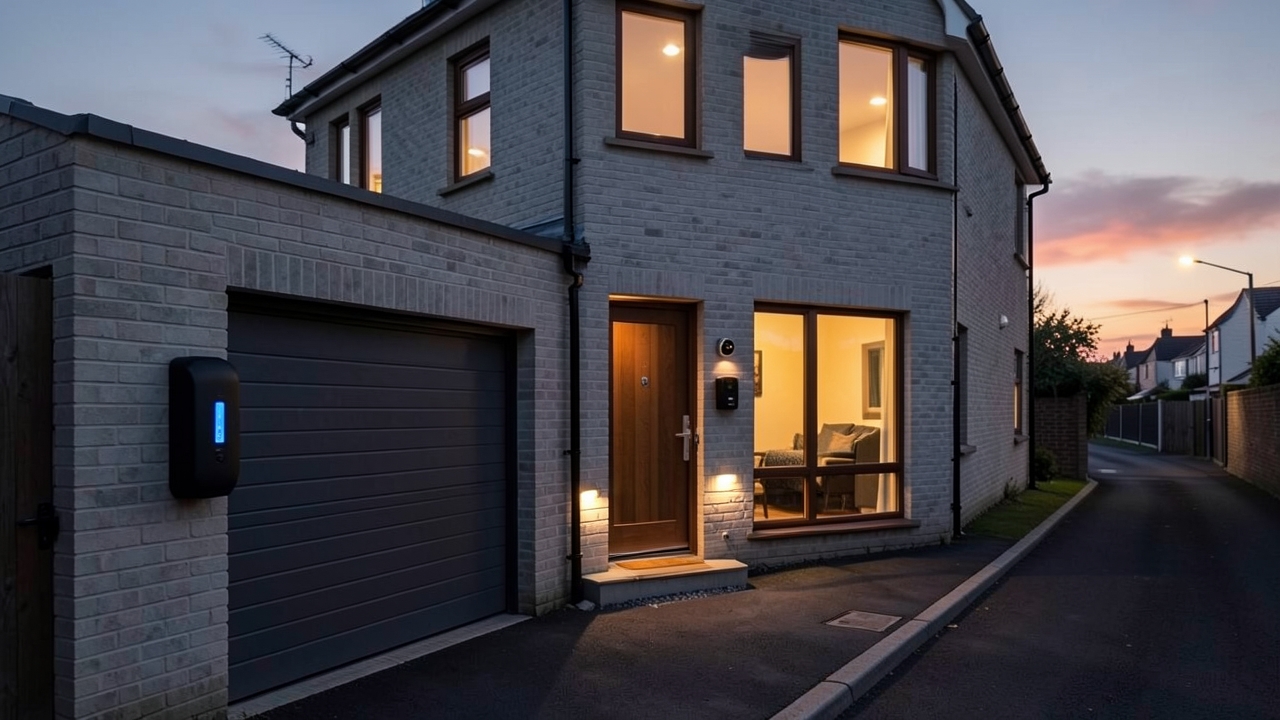
In today’s connected world, the lines between home security and smart energy management are blurring. For UK homeowners with an electric vehicle, the concept of Ring EV charger integration offers a powerful new layer of convenience and control. Imagine your front door camera alerting you not just to a visitor, but also confirming your EV has started charging securely overnight. This article explores how to link your Ring doorbell with your EV charger for real-time alerts and data-driven energy insights, using UK-specific setups and products.
Why Combine Your Ring Doorbell and EV Charger?
On the surface, a doorbell and a car charger seem unrelated. However, integrating them creates a unified smart home ecosystem with tangible benefits.
Enhanced Security and Peace of Mind
An EV charger represents a significant financial asset. Integration allows you to create automated routines. For example, when your Ring doorbell detects motion on the driveway late at night, it can trigger a notification that also includes the status of your EV charger. Is it actively charging, in standby, or has it faulted? This context helps you assess if the activity is normal. Furthermore, you can use the Ring app to create a “Goodnight” routine that arms your cameras and confirms your car is locked and scheduled to charge.
Real-Time Charging Status Alerts
Instead of constantly checking a separate app, you can receive critical EV charging updates directly where you manage your home security. For instance, you might set an alert to notify you via the Ring app when charging reaches 80% or if the charger unexpectedly goes offline. This is particularly useful if you rely on off-peak electricity tariffs like Economy 7 or Octopus Agile to charge your car cheaply.
How to Achieve Ring EV Charger Integration in the UK
True, direct integration between Ring hardware and specific EV charger brands is still emerging. The most reliable method currently involves using a centralised smart home platform to bridge the two devices. The two primary pathways for UK users are as follows:
Method 1: Via a Smart Home Hub (e.g., Amazon Alexa)
Since Ring is an Amazon company, the deepest integration often happens through the Alexa app. Many modern smart EV chargers are “Works with Alexa” certified.
- Chargers like Wallbox Pulsar Plus (from around £600 installed) or the Ohme ePod (around £750 installed) have strong Alexa compatibility.
- Once both your Ring devices and EV charger are connected to your Alexa account, you can create routines. For example: “Alexa, start my car charging” or a routine that announces, “The car is fully charged,” on your Echo device.
- This method doesn’t create a direct link in the Ring app, but it funnels the charger’s status into the same Amazon ecosystem, which you can then access via voice or routines.
Method 2: Through a Unified Smart Platform (e.g., Apple HomeKit)
For users in the Apple ecosystem, platforms like HomeKit offer another route. While Ring has limited official HomeKit support, some EV chargers, such as the Wallbox Pulsar Plus, are HomeKit compatible. With a HomeKit bridge or hub, you can create automations that link charger status to other smart devices, although a direct link to a Ring camera remains a step removed.
Pro Tip: Always check the latest compatibility on the manufacturer’s website. The market for smart charger integrations is rapidly evolving in 2026.
Gaining Data-Driven Energy Insights
The real power of integration lies in the data. By connecting your charger to your smart home network, you gain valuable insights into your household’s energy consumption.
Monitoring Charging Costs and Consumption
Smart chargers like the Ohme Home Pro (approximately £900 installed) are designed to work with dynamic tariffs. They automatically charge your car when electricity is cheapest and greenest. When integrated into your smart home dashboard, you can see exactly how many kWh were used during a charging session and the estimated cost. This helps you understand the true running cost of your EV, which is typically between 2-4p per mile, compared to 12-18p per mile for a petrol car.
Creating a Centralised Energy Dashboard
With all devices on the same platform, you can use apps like Google Home or a dedicated home energy monitor to visualise your total household usage. This empowers you to make informed decisions. For example, you might notice that running your dishwasher and EV charger simultaneously causes a peak, and decide to stagger them to stay within your home’s capacity, especially if you have a smart meter from your energy supplier.
UK Regulations and Smart Charge Points
It’s crucial to note that in the UK, all new smart EV chargers must comply with the Smart Charge Points Regulations 2021. This legislation mandates that chargers must have smart functionality, including the ability to schedule charging and provide data to the user. This government-driven push for smart tech makes integration with platforms like Ring more feasible and future-proof. Always ensure your installer is qualified (look for OLEV/OLEP accreditation) and that the charger you choose is on the Government’s list of eligible charge points for any available grants.
Step-by-Step: A Basic Integration Setup
The Future of Connected Home and EV
As we move through 2026, we can expect deeper, native integrations. Companies may offer bundled packages where your security subscription and EV charger management are unified in one app. The convergence is clear: your home is becoming a single, intelligent entity that protects you, manages your energy, and powers your transport. For now, using a hub like Alexa provides a robust bridge to achieve this today.
In conclusion, while a single app that controls both your Ring doorbell and EV charger directly isn’t the norm yet, the ecosystem approach using smart home platforms is effective and readily available in the UK. It delivers on the promise of a truly connected home, offering enhanced security, greater convenience, and actionable energy data that can save you money.
Have you experimented with connecting your smart home devices in unique ways? Share your setup or questions in the comments below—we’d love to hear how you’re building your connected home!